Examples
Quick Start: Best Discount Badge
Section titled “Quick Start: Best Discount Badge”The simplest way to show a discount badge using the max_reward_percent or max_reward_cents scalar metafields.
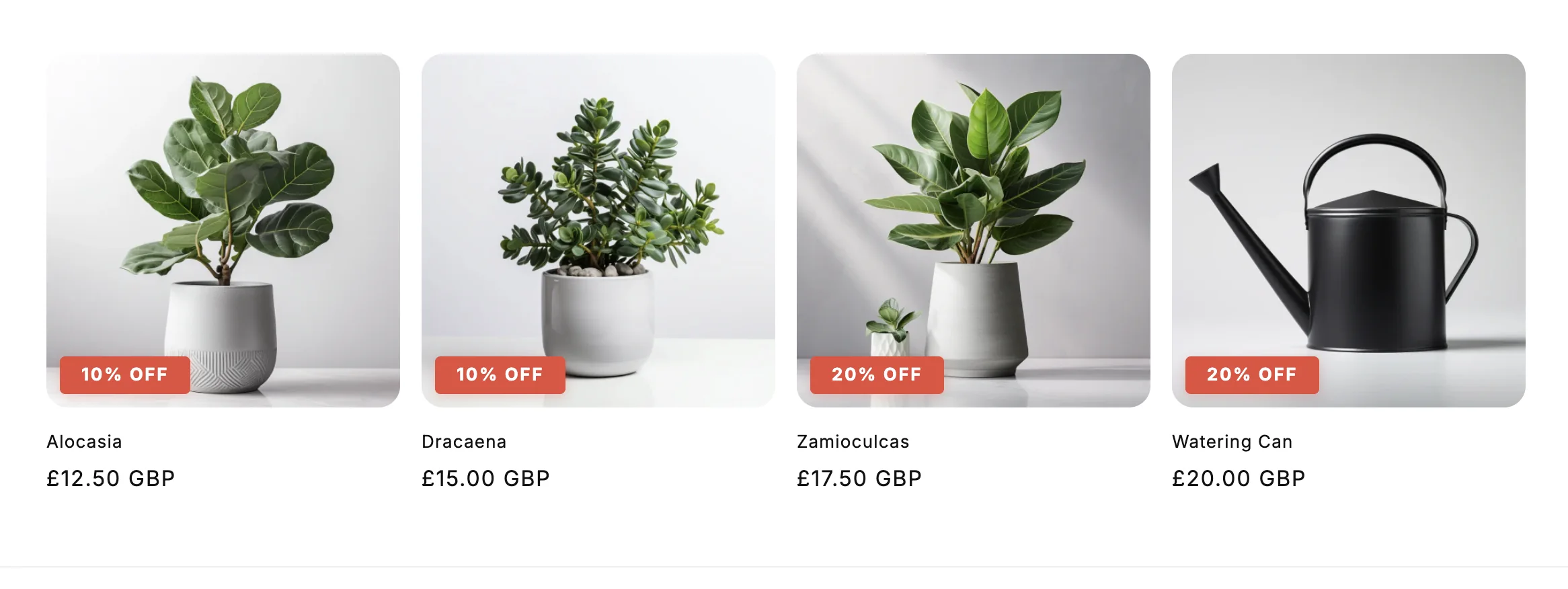
{% assign percent_off = product.metafields.app--9549316097--discount_kit.max_reward_percent.value %}{% assign cents_off = product.metafields.app--9549316097--discount_kit.max_reward_cents.value %}
{% if percent_off > 0 or cents_off > 0 %} <div style=" position: absolute; top: 10px; right: 10px; background: #e74c3c; color: white; padding: 8px 12px; border-radius: 4px; font-size: 12px; font-weight: bold; "> {% if percent_off > 0 %} {{ percent_off | round }}% OFF {% else %} {{ cents_off | divided_by: 100.0 | money }} OFF {% endif %} </div>{% endif %}Best Discount with Title
Section titled “Best Discount with Title”Show both the discount value and title using max_reward_discount:
{% assign percent_off = product.metafields.app--9549316097--discount_kit.max_reward_percent.value %}{% assign best_discount = product.metafields.app--9549316097--discount_kit.max_reward_discount.value %}
{% if percent_off > 0 and best_discount %}  <div class="promo-banner">    <strong>{{ best_discount.discount_title }}</strong>    <span>Save {{ percent_off | round }}%</span>  </div>{% endif %}
Sales Badges
Section titled “Sales Badges”Simple Percentage Badge
Section titled “Simple Percentage Badge”
{% assign percent_off = product.metafields.app--9549316097--discount_kit.max_reward_percent.value %}
{% if percent_off > 0 %}  <div style="    position: absolute;    top: 10px;    right: 10px;    background: #e74c3c;    color: white;    padding: 8px 12px;    border-radius: 4px;    font-size: 12px;    font-weight: bold;  ">    {{ percent_off | round }}% OFF  </div>{% endif %}
Pricing Display
Section titled “Pricing Display”Crossed-Out Original Price
Section titled “Crossed-Out Original Price”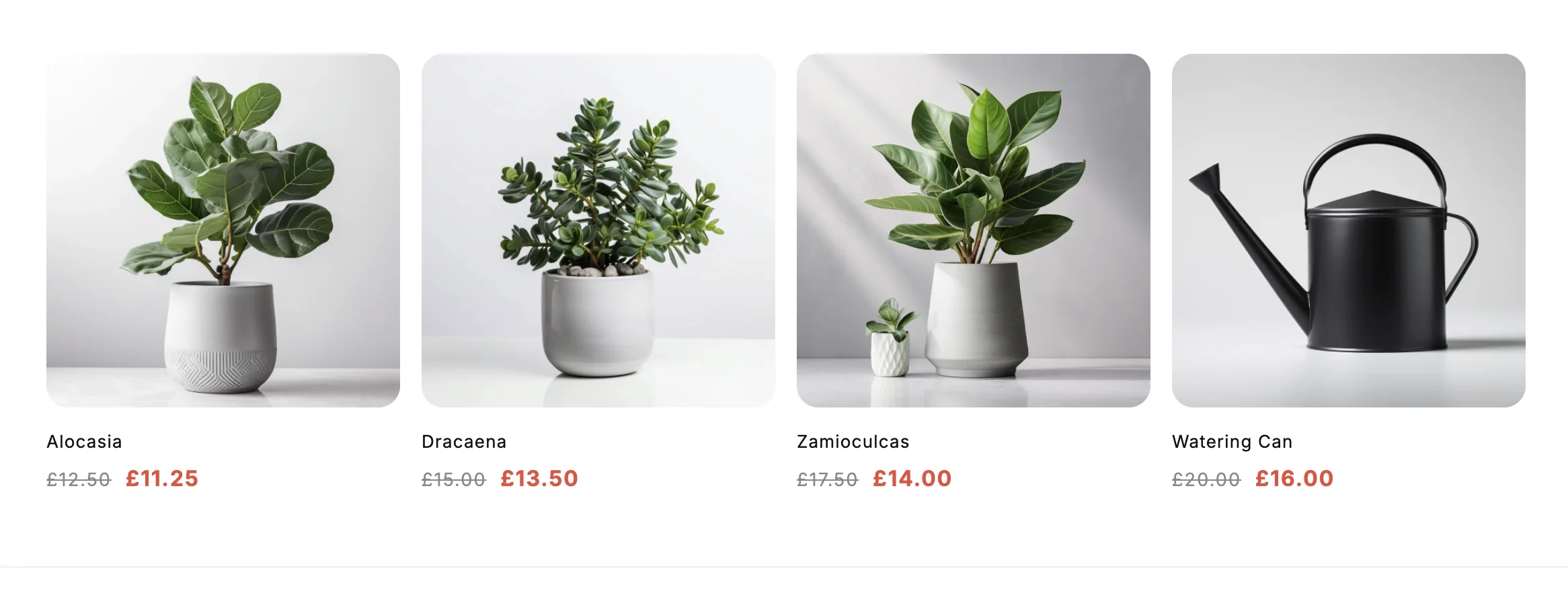
{% assign percent_off = product.metafields.app--9549316097--discount_kit.max_reward_percent.value %}
{% if percent_off > 0 %}  {% assign discount_multiplier = 100 | minus: percent_off | times: 0.01 %}  {% assign discounted_price = product.price | times: discount_multiplier %}
<div class="pricing"> <span class="original-price" style="text-decoration: line-through; opacity: 0.6;"> {{ product.price | money }} </span> <span class="sale-price" style="color: #e74c3c; font-weight: bold;"> {{ discounted_price | money }} </span> </div>{% else %} <span class="regular-price">{{ product.price | money }}</span>{% endif %}Volume Pricing Table
Section titled “Volume Pricing Table”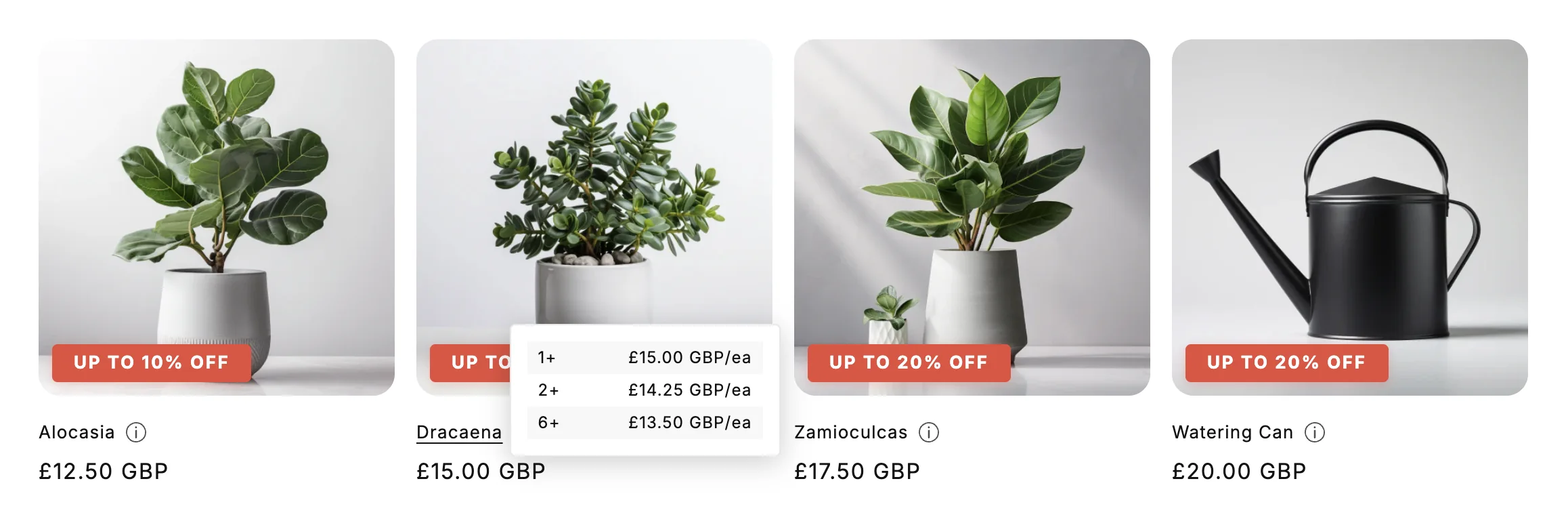
{% assign discounts = product.metafields.app--9549316097--discount_kit.discounts.value %}
{% for discount in discounts %}  {% if discount.discount_type == 'PRODUCT_VOLUME' and discount.config %}    {% assign config = discount.config.value %}
    <div class="volume-table">      <h4>{{ discount.discount_title }}</h4>      <table>        <thead>          <tr>            <th>Quantity</th>            <th>Discount</th>            <th>Price Each</th>          </tr>        </thead>        <tbody>          {% for tier in config.tiers %}            {% assign tier_qty = tier.buys.value %}            {% assign tier_discount_percent = tier.gets.value %}            {% assign discount_multiplier = 100 | minus: tier_discount_percent | divided_by: 100.0 %}            {% assign tier_price = product.price | times: discount_multiplier %}
            <tr>              <td>{{ tier_qty }}+</td>              <td>{{ tier_discount_percent | round }}% off</td>              <td>{{ tier_price | money }}</td>            </tr>          {% endfor %}        </tbody>      </table>    </div>  {% endif %}{% endfor %}
Discount Codes
Section titled “Discount Codes”Discount Kit Live surfaces both automatic discounts (applied at checkout when conditions are met) and code-based discounts (the shopper enters a code). The method and code fields let you render the right UI for each.
Render a Code Chip with Copy-to-Clipboard
Section titled “Render a Code Chip with Copy-to-Clipboard”For code-based discounts, show the code with a copy button instead of an “applied automatically” badge.
{% assign discounts = product.metafields.app--9549316097--discount_kit.discounts.value %}
{% for discount in discounts %} {% if discount.method == 'code' and discount.code != blank %} <div class="discount-code-chip"> <strong>{{ discount.discount_title }}</strong> <span>Use code:</span> <button type="button" data-discount-code="{{ discount.code | escape }}" onclick="navigator.clipboard.writeText(this.dataset.discountCode); this.textContent = 'Copied!'"> {{ discount.code }} </button> </div> {% endif %}{% endfor %}Hide a Code If It’s Already Applied
Section titled “Hide a Code If It’s Already Applied”Once a shopper has the code in their cart, the chip is just noise. Check cart.discount_applications to detect already-applied codes and hide the chip accordingly.
cart.discount_applications is a Shopify-native array of every discount currently affecting the cart. Each entry has a title (for automatics) or a code (for DiscountCodeApplication entries). For code discounts you compare against application.code.
{%- comment -%}  Build a Set-like map of code strings currently applied to the cart.  Liquid doesn't have Sets, so we use a comma-joined string and `contains`.{%- endcomment -%}{% capture applied_codes %}  {%- for application in cart.discount_applications -%}    {%- if application.type == 'discount_code' -%},{{ application.code | downcase }},{%- endif -%}  {%- endfor -%}{% endcapture %}
{% assign discounts = product.metafields.app--9549316097--discount_kit.discounts.value %}
{% for discount in discounts %} {% if discount.method == 'code' and discount.code != blank %} {% assign needle = ',' | append: discount.code | downcase | append: ',' %} {% unless applied_codes contains needle %} <div class="discount-code-chip"> <strong>{{ discount.discount_title }}</strong> <span>Use code <code>{{ discount.code }}</code></span> </div> {% endunless %} {% endif %}{% endfor %}Mix: Auto-Applied vs Code-Entry Badge
Section titled “Mix: Auto-Applied vs Code-Entry Badge”Render different UI depending on how the discount is redeemed:
{% assign discounts = product.metafields.app--9549316097--discount_kit.discounts.value %}
{% for discount in discounts %}  {% if discount.method == 'automatic' %}    <span class="badge badge--auto">      {{ discount.maximum_reward_value | round }}% off — auto-applied    </span>  {% elsif discount.method == 'code' and discount.code != blank %}    <span class="badge badge--code">      {{ discount.maximum_reward_value | round }}% off with code      <code>{{ discount.code }}</code>    </span>  {% endif %}{% endfor %}
Collection Banners
Section titled “Collection Banners”Simple Collection Promo
Section titled “Simple Collection Promo”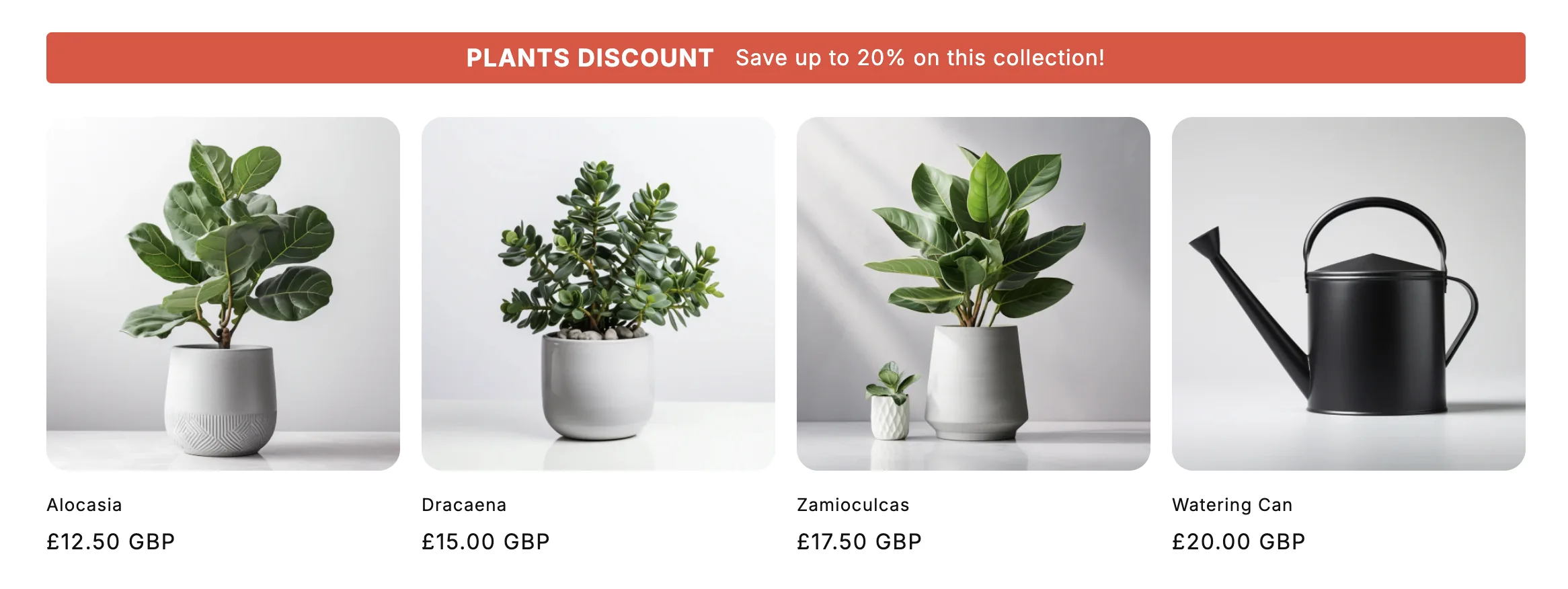
{% assign discounts = collection.metafields.app--9549316097--discount_kit.discounts.value %}
{% if discounts.size > 0 %}  {% assign promo = discounts | first %}
  <div style="    background: #e74c3c;    color: white;    padding: 1rem 2rem;    border-radius: 4px;    text-align: center;    margin-bottom: 2.5rem;    display: flex;    align-items: center;    justify-content: center;    gap: 1.5rem;  ">    <h2 style="      font-size: 1.8rem;      font-weight: 700;      margin: 0;      line-height: 1;      text-transform: uppercase;      letter-spacing: 0.05em;    ">{{ promo.discount_title }}</h2>    <p style="      font-size: 1.6rem;      margin: 0;      line-height: 1;    ">Save up to {{ promo.maximum_reward_value | round }}% on this collection!</p>  </div>{% endif %}